

Request intervention
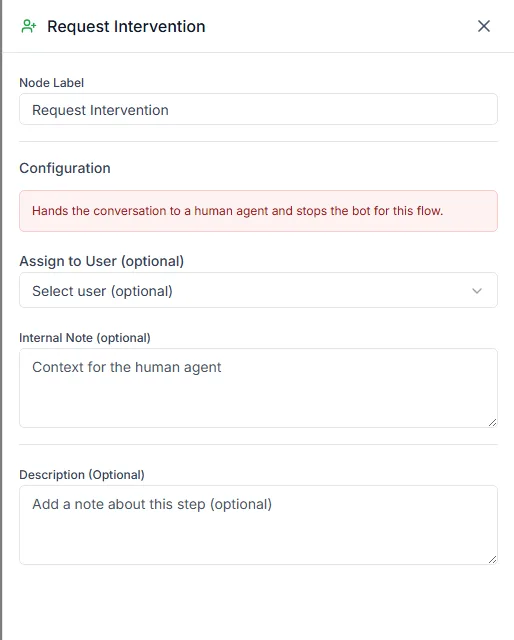
The Request Intervention step takes the chat out of the bot and puts it in front of a person. Every bot needs one: a good bot handles the routine questions and passes everything else on cleanly.
Find it in the Actions group of the palette.
Settings
Section titled “Settings”| Setting | Notes |
|---|---|
| Assign to User (optional) | The teammate who should take the chat |
| Internal Note (optional) | Background for whoever picks it up |
Who gets the chat
Section titled “Who gets the chat”If you pick a teammate, the chat is assigned to them and appears in their list in Chat.
If you leave it empty, the chat is marked as needing a person and stays in the shared queue for whoever is free. That’s usually the better choice: an unassigned chat gets picked up, but one assigned to someone on leave doesn’t.
The internal note
Section titled “The internal note”The note is added to the chat for your team only; the customer never sees it. Use it to pass on what the bot already learned, so the agent doesn’t ask the same questions again:
Customer chose “Damaged item” and gave order number
{{order_number}}. Photo is above.
Where to use it
Section titled “Where to use it”- A Talk to a person option in a menu
- The No match output of an Ask keyword step
- The No output of a Condition that couldn’t find an order
- After a failed lookup or payment