

Multiple choice
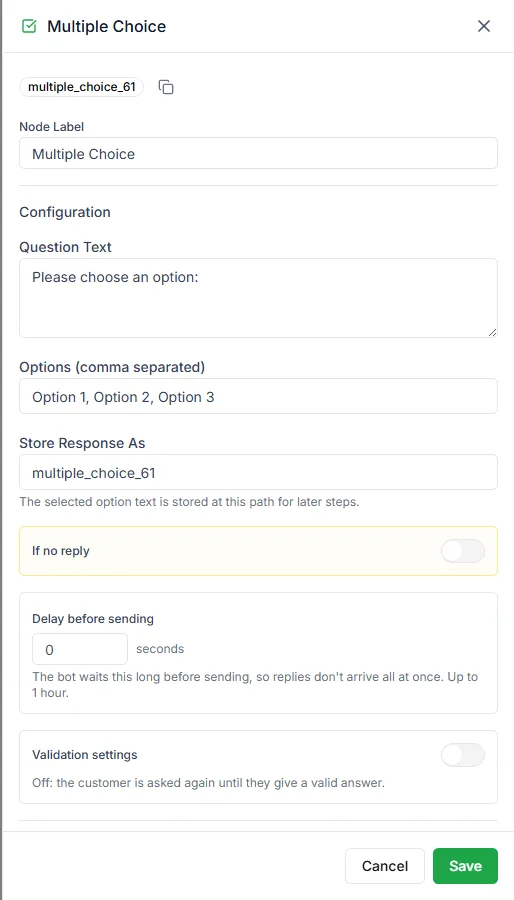
The Multiple Choice step asks a question with a fixed set of answers. It sends the options as a numbered list, and the customer replies with the number or the option’s name. The answer is saved in a variable, and each option has its own output.
Find it in the Ask a Question group of the palette.
Settings
Section titled “Settings”| Setting | Notes |
|---|---|
| Question Text | The question the customer sees |
| Options | The choices, separated by commas |
| Store Response As | The variable the chosen option is saved in |
Enter the options like this:
Track my order, Talk to support, Something elseThe customer receives:
What can we help with?
- Track my order
- Talk to support
- Something else
Keep options short. Three clear phrases are easy to choose from; three long sentences aren’t.
Branch on the answer
Section titled “Branch on the answer”Each option gets its own output on the step, so you connect each one to what should happen next. You don’t need a separate Switch step.
Buttons instead of numbers
Section titled “Buttons instead of numbers”If you’d rather the customer tap than type, use Send Buttons for up to three options or Send List for more. See Send buttons and lists.
Need help? Email hello@loopchat.inBook a demo · Open LoopChat