

Ask for location
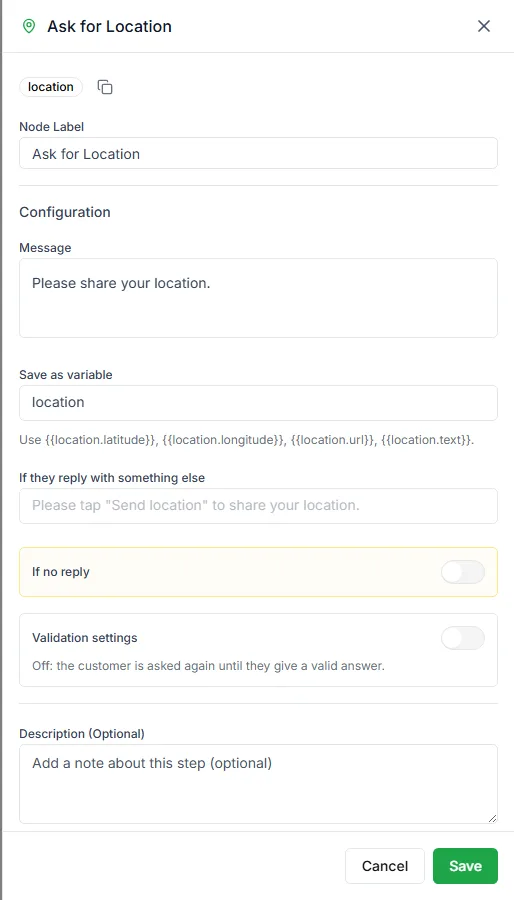
The Ask for Location step sends a message with WhatsApp’s Send location button. The customer taps it, picks a spot on the map, and the bot saves the pin.
Find it in the Ask a Question group of the palette.
Settings
Section titled “Settings”| Setting | Notes |
|---|---|
| Message | The request, for example Share your location so we can find the nearest store |
| Save as variable | The variable the shared location is saved in, location by default |
| If they reply with something else | What to send when the customer types a message instead of sharing a pin |
Later steps can use {{location.latitude}}, {{location.longitude}}, {{location.url}} (a map link) and {{location.text}}. The step can also have a No reply output for customers who don’t respond.
When to use it
Section titled “When to use it”- Finding the nearest branch or delivery partner
- Checking that an address is inside your delivery area
- Sending a technician or driver to the right place
To collect a written postal address instead, use Address.
Need help? Email hello@loopchat.inBook a demo · Open LoopChat