

Start a new chat
WhatsApp only lets you send normal messages within 24 hours of the customer’s last message. Outside that window, including the very first message you send someone, you must use a template that Meta has approved.
Message a saved contact
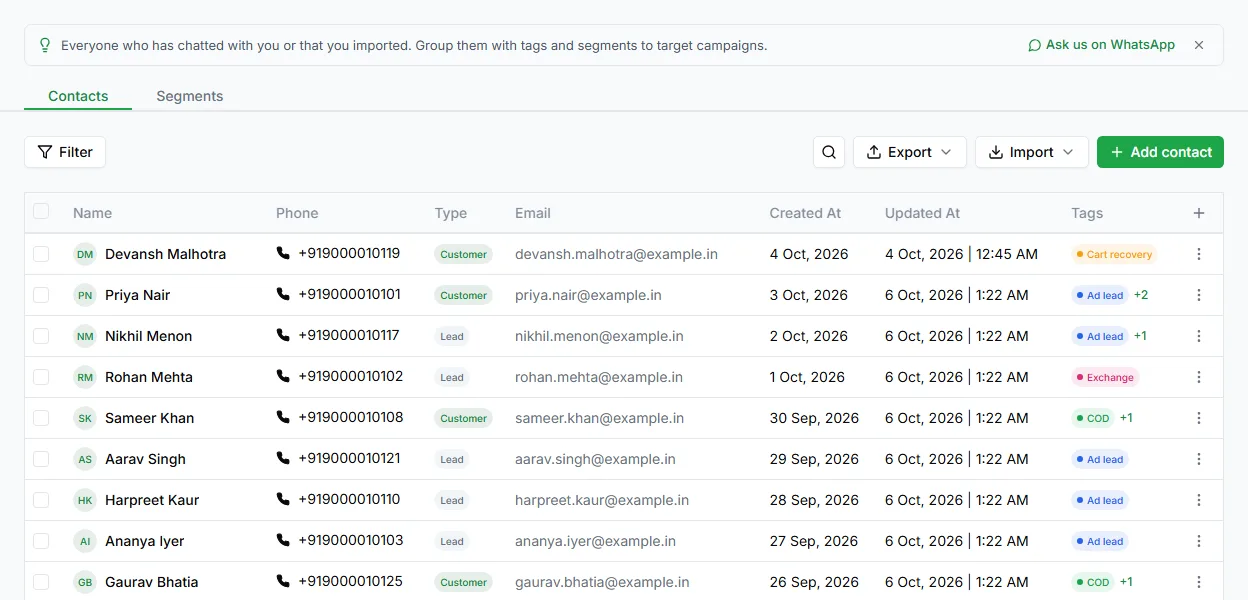
Section titled “Message a saved contact”- Open Contacts.
- Click the ⋮ menu on the contact’s row and choose Message. LoopChat opens the chat with that contact in Chat.
- If the 24-hour window is closed, click the Send a template icon in the message box, pick an approved template, fill in its variables, and send.
The template opens a new 24-hour window as soon as the customer replies.
Reply to a customer
Section titled “Reply to a customer”Once a customer messages you, no template is needed. Type in the message box and send, as long as you’re inside the 24-hour window. The label at the top of the chat shows how long is left.
Messaging many customers at once
Section titled “Messaging many customers at once”Sending the same template to a list of people is a broadcast, not a chat. See Broadcast.
Need help? Email hello@loopchat.inBook a demo · Open LoopChat