

Broadcast reports
Every broadcast has its own report. Open Grow → Broadcast and click the broadcast you want.
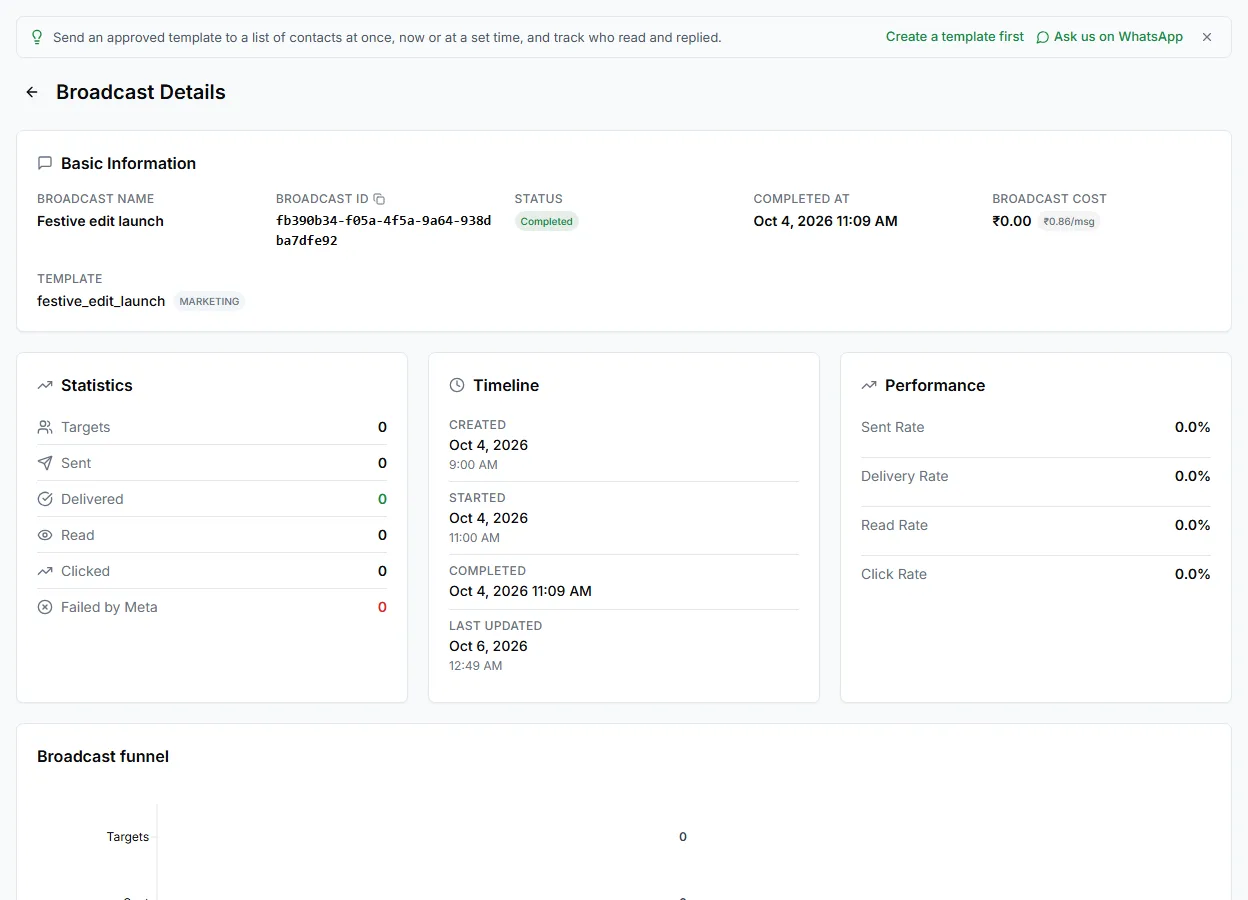
Broadcast details
Section titled “Broadcast details”The top of the report shows the broadcast’s name, ID, status, cost and the template it used.
The broadcast funnel
Section titled “The broadcast funnel”| Number | What it counts |
|---|---|
| Targets | Everyone the broadcast was meant for |
| Sent | Messages handed to WhatsApp |
| Delivered | Messages that reached the customer’s phone |
| Read | Messages the customer opened |
| Clicked | Customers who tapped a button or link |
| Failed by Meta | Messages Meta couldn’t deliver |
| Not on WhatsApp | Numbers without a WhatsApp account |
| Skipped — daily limit | Contacts over your number’s daily sending limit |
| Skipped — no marketing consent | Opted-out contacts |
| Skipped — invalid number | Numbers that aren’t valid |
The rates show the same results as percentages: Sent Rate and Click Rate out of all targets, and Delivery Rate and Read Rate out of the messages sent. If opted-out contacts were skipped, a banner says how many, and Show lists them.
Message targets
Section titled “Message targets”The Message Targets table lists every recipient and their message status. Filter it by Sent, Delivered, Read, Failed or Pending.
- Export downloads the list as an Excel file.
- Add tag applies tags to the recipients you’ve selected, or to everyone in the current filter, for example everyone who read the message, so you can follow up with them.
Reading the numbers
Section titled “Reading the numbers”- Lots delivered, few read: the message arrived but didn’t catch attention. Look at the first line and the time you sent it.
- Many failed or not on WhatsApp: clean up the list before you send again.
- Many skipped for the daily limit: split big broadcasts across days, or raise your limit. See Sending limits and quality rating.
- Delivery rate falling from one broadcast to the next: a warning sign for your quality rating. Slow down and check what you’re sending.
Need help? Email hello@loopchat.inBook a demo · Open LoopChat