

Choose your audience
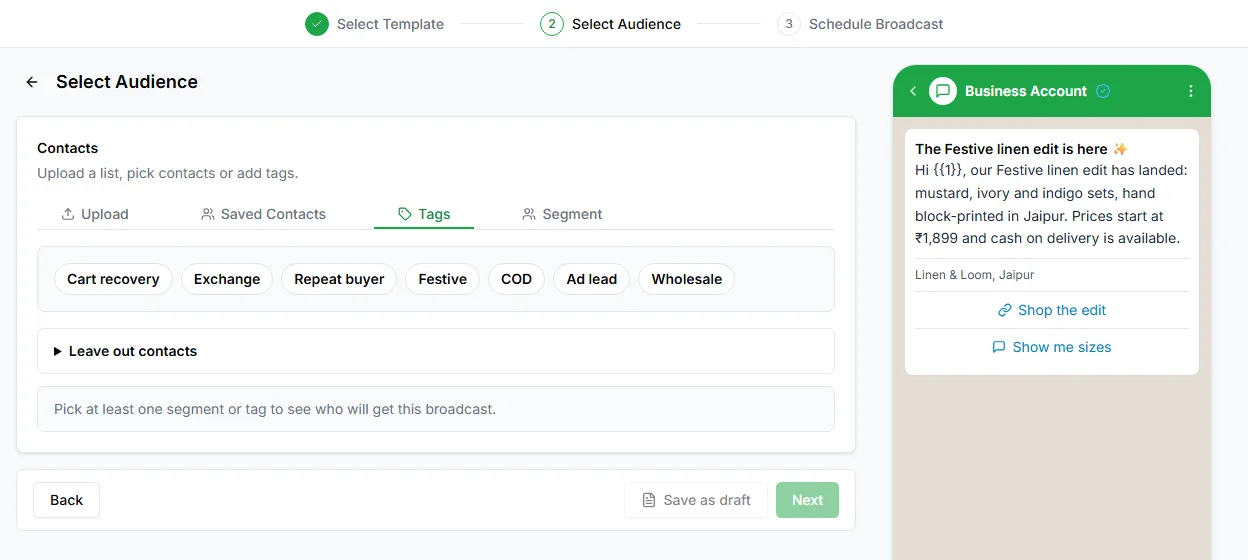
The audience step has four tabs. Use whichever matches where your list lives.
Upload
Section titled “Upload”Upload a spreadsheet of contacts for this broadcast. Use it for a list that lives outside LoopChat, such as event sign-ups or a one-off list. Numbers in the file that aren’t in LoopChat yet are added as contacts.
Saved Contacts
Section titled “Saved Contacts”Choose from the contacts already in LoopChat: pick people one by one, or include everyone.
Choose one or more tags, and the broadcast goes to every contact with them. Tags are added on the contact, in bulk on the Contacts page, or by a bot’s Set tag step. Contacts tagged since your last broadcast are included automatically.
Segment
Section titled “Segment”Choose a segment. A rule-based segment is the most reliable audience: it’s always up to date, with no list to rebuild.
Check the number of recipients
Section titled “Check the number of recipients”As you build the audience, LoopChat shows how many contacts will get the broadcast. Check it before you carry on. A number that’s much smaller or bigger than you expected is worth understanding before you send.
Opted-out contacts are skipped automatically when the broadcast goes out. See How opt-in is applied.
Leave some contacts out
Section titled “Leave some contacts out”Open Leave out contacts to exclude a segment or tag from the audience, for example to skip customers who ordered this week.
Next: Send or schedule.