

Set tag
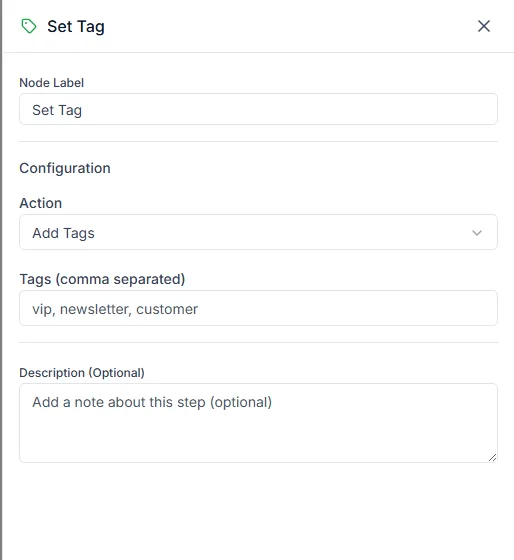
The Set Tag step changes the tags on the customer’s contact record. Tags turn what a bot learns into something you can filter, group and send campaigns to later.
Find it in the Actions group of the palette.
Settings
Section titled “Settings”| Setting | Notes |
|---|---|
| Action | Add Tags or Remove Tags |
| Tags (comma separated) | The tags to add or remove, for example vip, newsletter, customer |
Add Tags adds the tags and leaves the contact’s other tags alone. Remove Tags removes just the ones you list. Use one of each to move a contact from one state to another, for example remove lead and add customer.
What tags are good for
Section titled “What tags are good for”Once tagged, a contact can be:
- Filtered on the Contacts page. See Contact management.
- Added to a segment for broadcasts.
- Used to start a Journey when the tag is added.
Example
Section titled “Example”An interest-capture bot:
- Send Buttons: Which product are you interested in?
- One Set Tag step on each button’s output, adding
interested-<product>
Each product now has its own audience for its next campaign, kept up to date by the bot.
Related steps
Section titled “Related steps”- Update contact changes tags along with contact details and opt-in.
- Set Stage moves the contact to a stage in your Pipeline.
Need help? Email hello@loopchat.inBook a demo · Open LoopChat