

Send location
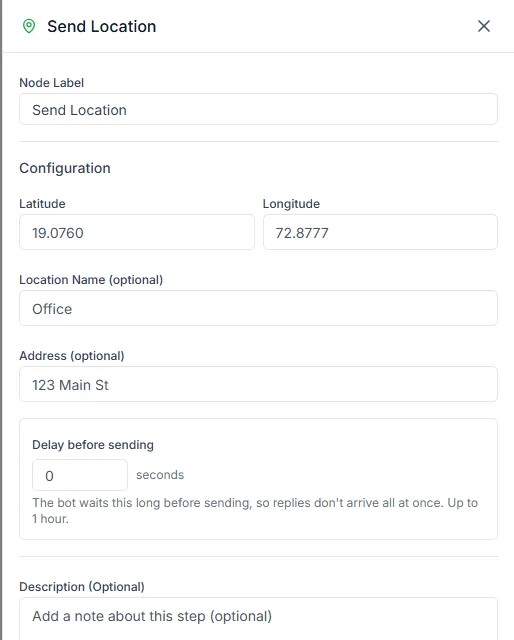
The Send Location step sends a point on the map. Customers get a pin they can tap for directions, which is far more useful than an address typed into a message.
Find it in the Send a message group of the palette.
Settings
Section titled “Settings”| Setting | Notes |
|---|---|
| Latitude | Required, for example 19.0760 |
| Longitude | Required, for example 72.8777 |
| Location Name | Optional. The name on the pin, for example Our store |
| Address | Optional. The address shown under the name |
Find the coordinates
Section titled “Find the coordinates”Open the place in Google Maps, right-click the exact spot, and click the numbers at the top of the menu to copy them. Paste the first number into Latitude and the second into Longitude.
Put the pin on the entrance, not the road outside. It’s the difference between a customer walking in and a customer calling to ask where you are.
More than one location
Section titled “More than one location”To send different locations to different customers, put a Condition or Switch step first and add one Send Location step for each branch.
Need help? Email hello@loopchat.inBook a demo · Open LoopChat