

Address
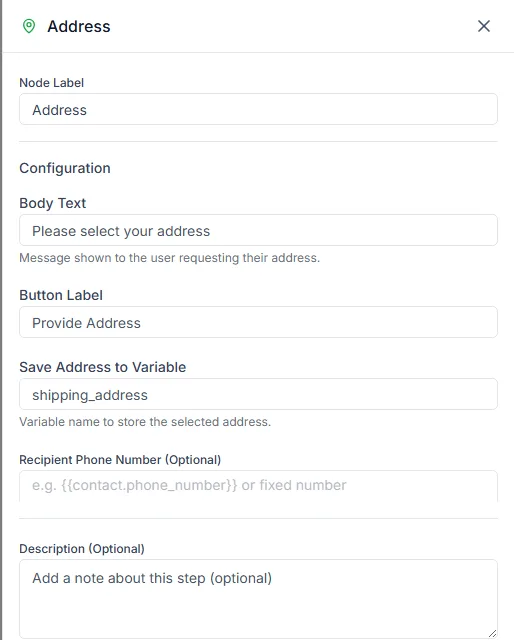
The Address step sends WhatsApp’s address request. The customer taps a button, fills in an address form inside WhatsApp, and the address comes back to your bot as one value.
Find it in the Ask a Question group of the palette.
Settings
Section titled “Settings”| Setting | Notes |
|---|---|
| Body Text | The request, for example Please share your delivery address |
| Button Label | The button the customer taps, for example Add address |
| Save Address to Variable | The variable the address is saved in, for example shipping_address |
| Recipient Phone Number | Optional. Leave it empty to ask the customer the bot is talking to. |
Why use the form
Section titled “Why use the form”If you just ask “What’s your address?”, you’ll get addresses with no pincode, landmark or floor number, and someone has to chase each one. WhatsApp’s form asks for each part separately, so the address you get is complete.
Use the address
Section titled “Use the address”Use it in later steps as {{shipping_address}}: read it back to the customer, save it in a Data Store, or send it to your delivery system with an HTTP Request step.
Example
Section titled “Example”A delivery bot:
- Address: Where should we deliver this? with the button Add address, saved as
shipping_address - Send Message: Delivering to:
{{shipping_address}}. Is that right? with Yes and No quick replies - HTTP Request: send the confirmed address to your order system
Need help? Email hello@loopchat.inBook a demo · Open LoopChat