

Find and filter contacts
Filters and search take you from everyone you’ve ever talked to to the twelve people who asked about prices last week.
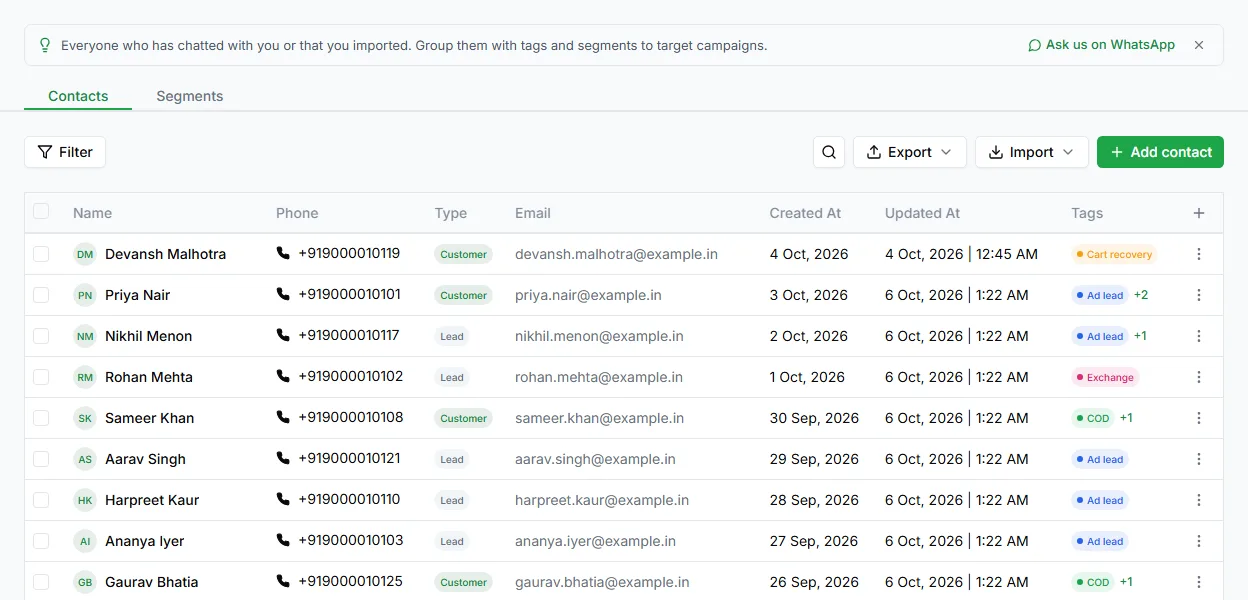
Search
Section titled “Search”The search box on the Contacts page finds contacts by name, phone or email, including partial matches. Use it when you know who you want; use filters when you’re describing a group.
Filter the Contacts page
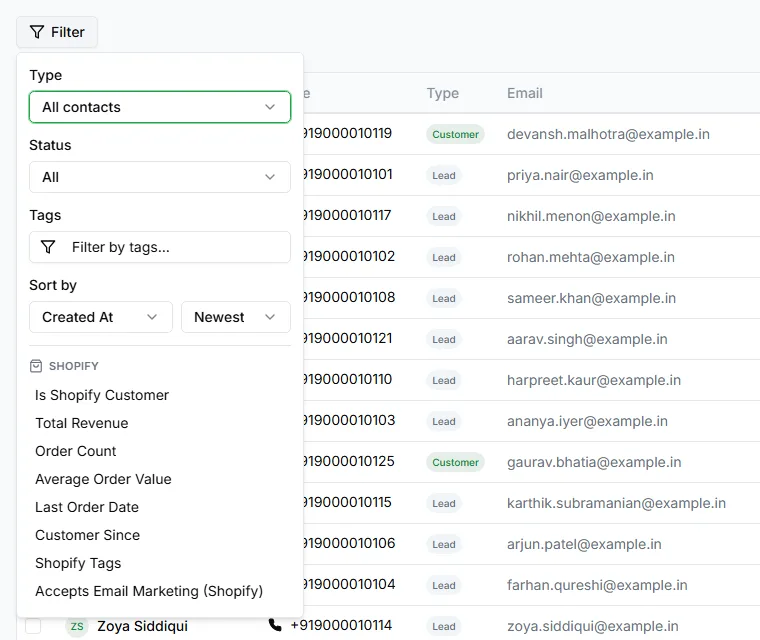
Section titled “Filter the Contacts page”Click Filter to narrow the list by:
| Filter | Options |
|---|---|
| Type | All contacts, Leads or Customers |
| Status | All, Active, Blocked or Inactive |
| Tags | One or more tags |
| Sort by | Created At, Name, Phone, Email or Status, in either order |
If you’ve connected Shopify, there are extra filters for your store’s customers.
Detailed filters and saved views
Section titled “Detailed filters and saved views”The Leads list has a fuller Filters panel. To open it, go to Pipeline and switch the board to the Table view (admins only):
| Filter | Narrows to |
|---|---|
| Tags | Contacts with all, or any, of the tags you choose |
| Activities | Contacts with recorded activity |
| Touched in last | Contacts you’ve been in touch with recently |
| Untouched in last | Contacts nobody has been in touch with recently, your follow-up list |
| Has email / Has phone | Contacts with an email address or phone number |
| Campaign Opted Out | Contacts who don’t get broadcasts |
| In Campaign | Contacts included in a broadcast |
| Has Open Ticket | Contacts with an open ticket |
Match chooses whether a contact must meet all your filters or any of them.
When you use a set of filters often, click Save filter as view. Turn on Shared with the team so everyone uses the same definition of, say, “active lead”, or Set as default view to open the list that way every time.
Next steps
Section titled “Next steps”- Group contacts for broadcasts: Contact segments
- Change many contacts at once: Edit contacts
- Download your list: Export contacts