

Contact segments
What is a segment?
Section titled “What is a segment?”A segment is a saved group of contacts. You describe who belongs, for example by tags, contact details or activity, and LoopChat keeps the group up to date. Instead of picking people by hand for every broadcast, you describe the group once.
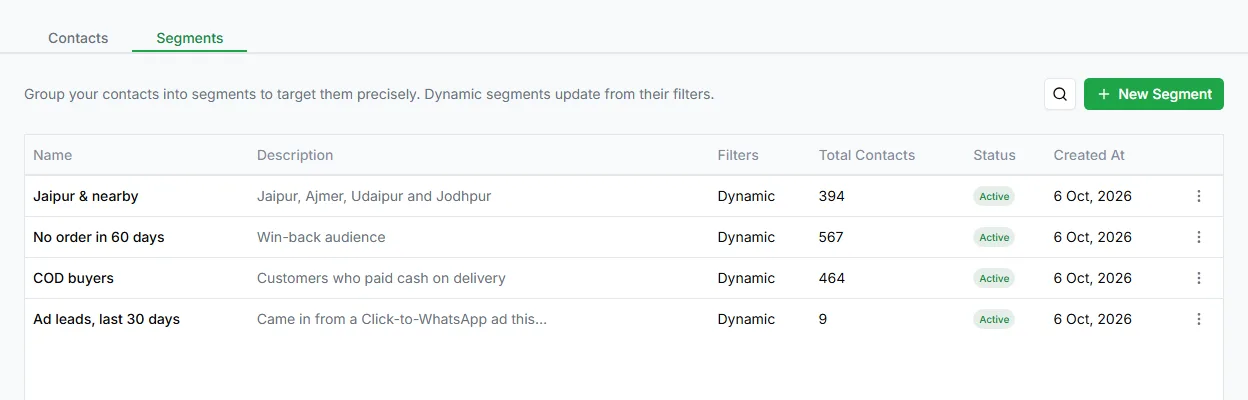
Create a segment
Section titled “Create a segment”- Open Contacts and go to the Segments tab.
- Click New Segment.
- Name this segment.
- Who should be included? Describe the group in plain words and let AI build the rules, or add the rules yourself.
- Preview matching contacts to check the result.
- Click Create segment.
Once saved, you can choose the segment as the audience in a broadcast. See Choose your audience.
Rule-based and hand-picked segments
Section titled “Rule-based and hand-picked segments”- Rule-based segments update themselves. A contact who newly matches the rules is included the next time you send. That’s the difference between a list that goes stale and one that stays current.
- Hand-picked segments contain the contacts you add. On the Contacts page, select contacts and choose Add to segment. You can later turn a hand-picked segment into a rule-based one.
The Segments tab is available to admins.
Need help? Email hello@loopchat.inBook a demo · Open LoopChat