

Shopify
Connecting Shopify brings your store into LoopChat. Products, customers, orders and abandoned checkouts sync in, and store events can send WhatsApp messages automatically.
What you get
Section titled “What you get”- Automatic WhatsApp order confirmations
- Shipping and delivery updates
- Abandoned cart reminders
- Your products, customers and orders inside LoopChat
- Store events that can start Journeys
Connect your store
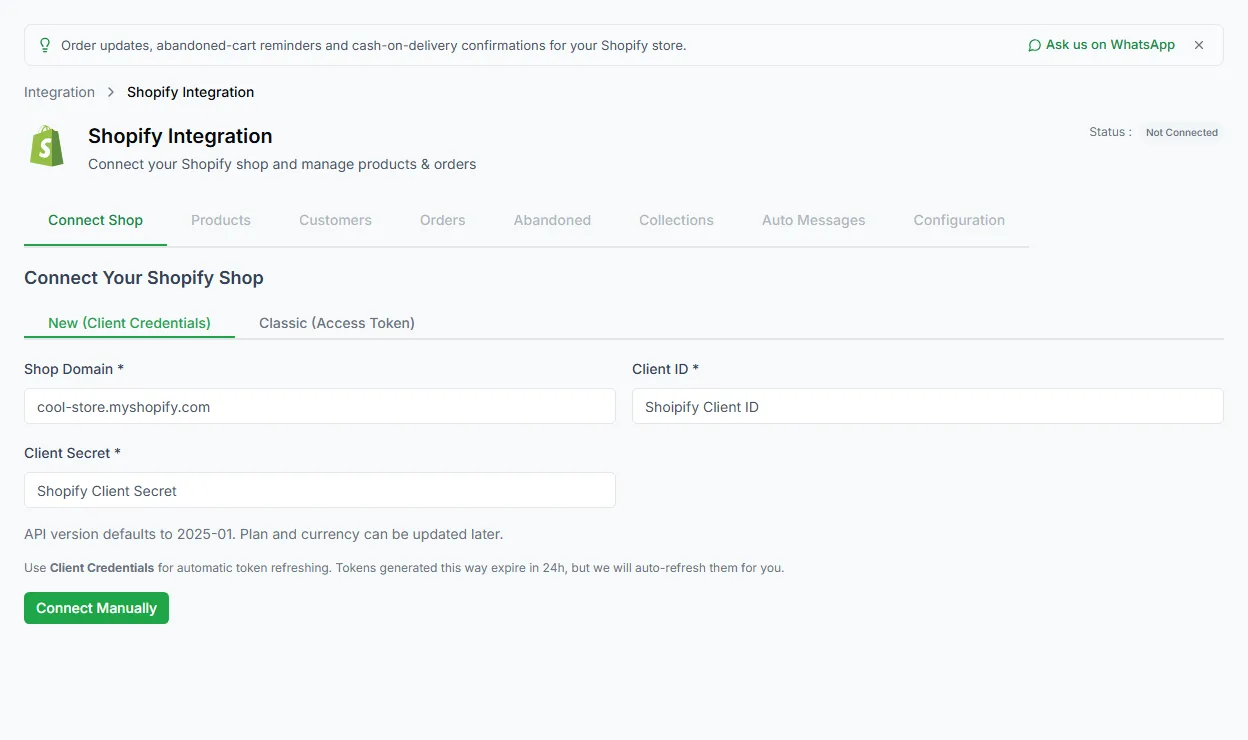
Section titled “Connect your store”- Open Configure → Integration and click the Shopify card. The page opens on the Connect Shop tab.
- Enter your Shop Domain, for example
your-store.myshopify.com. - Click Connect with Shopify. You’re taken to Shopify to approve access.
- Approve, and you’re brought back to LoopChat with your store connected.
Connect with a custom app instead
Section titled “Connect with a custom app instead”If you’d rather use a custom app you’ve made in Shopify, open Advanced: connect a custom app and choose:
| Method | What you need |
|---|---|
| New (Client Credentials) | Your custom app’s Client ID and Client Secret. LoopChat refreshes the access automatically. |
| Classic (Access Token) | Your custom app’s admin API access token (it starts with shpat_) |
Then click Connect Manually.
The tabs
Section titled “The tabs”| Tab | What’s there |
|---|---|
| Connect Shop | Connection status and settings |
| Products | Products synced from your store |
| Customers | Customers synced from your store |
| Orders | Orders synced from your store |
| Abandoned | Checkouts that weren’t completed |
| Collections | Your store’s collections |
| Auto Messages | Automatic WhatsApp messages. See Shopify auto messages. |
| Configuration | The store events LoopChat listens to, and other settings |
Store events
Section titled “Store events”The Configuration tab lists the Shopify events LoopChat listens to. Each one makes an automation possible:
| Event | Happens when |
|---|---|
orders/create |
A new order is placed |
orders/updated |
An order is changed |
orders/paid |
Payment is confirmed |
orders/cancelled |
An order is cancelled |
orders/delete |
An order is deleted |
orders/fulfilled |
An order is fully fulfilled |
orders/partially_fulfilled |
An order is partly fulfilled |
checkouts/create |
A checkout starts, used for abandoned carts |
checkouts/update |
A checkout changes |
customers/create |
A new customer signs up |
fulfillments/create |
A shipment is created |
fulfillments/update |
Delivery status changes |
refunds/create |
A refund is issued |
products/create |
A product is added |
products/update |
A product changes |
products/delete |
A product is removed |
app/uninstalled |
LoopChat is removed from your store |
Next steps
Section titled “Next steps”- Turn on automatic messages: Shopify auto messages
- Fill templates with store data: Shopify variables
- Build multi-step automations from store events in Automate → Journeys
Need help? Email hello@loopchat.inBook a demo · Open LoopChat